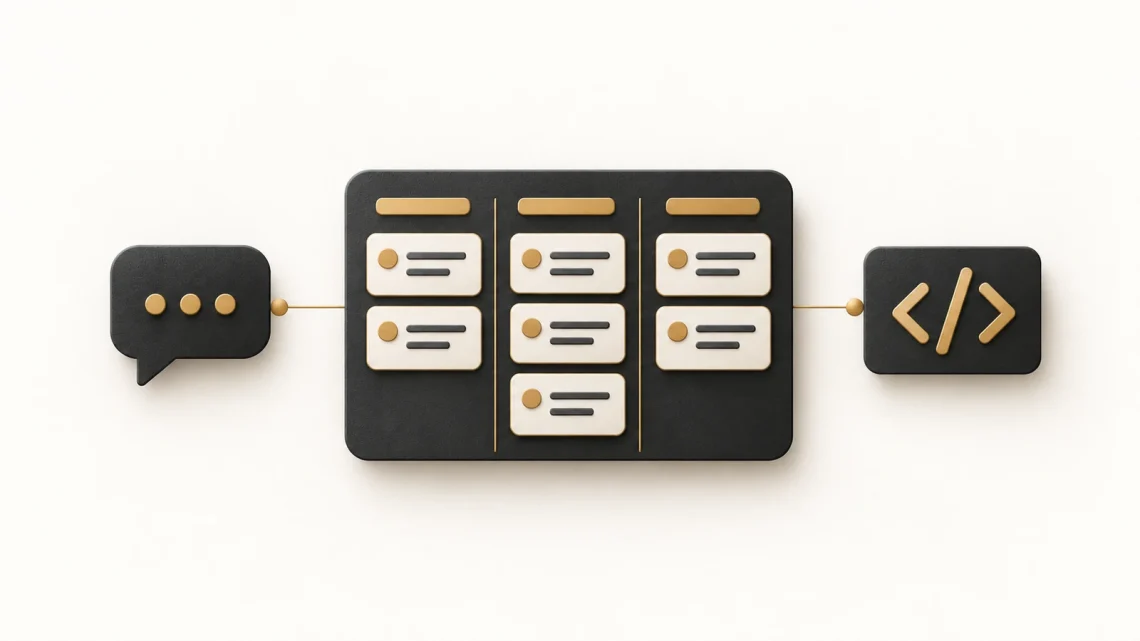
How AI is reshaping development teams, from tickets to pull requests
A ticket appears on the board. An AI assistant has drafted the description, proposed a code change and opened a pull request. The team can get to something reviewable with fewer manual steps. But who checked that it solves the right problem?
That is the interesting shift in AI-assisted development: work is changing across the whole delivery process, from describing a need to checking what reaches users. Writing better prompts is becoming a useful team skill because those instructions can now lead to actions across several tools.
My background in engineering and Agile delivery shapes how I see this shift. Faster code generation is useful, but teams still need clear requirements, thoughtful reviews and shared responsibility. Here is how those pieces fit together when AI helps write tickets, prepare code and move work towards release.
What is actually changing?
An AI agent is a system that can use tools to work towards a task, within the access and instructions it has been given. Depending on the product and setup, it may inspect project files, edit code, run checks or create work items. A chat assistant that only returns text has a different scope.
These capabilities already exist in everyday delivery tools. Atlassian documents how Rovo can propose Jira work items from a natural-language request, let you edit them and then create them. GitHub documents a workflow in which Copilot completes a coding task and requests review of its pull request. Availability and permissions depend on the product and your organisation’s configuration. See Atlassian’s work-item guide and GitHub’s review guidance.
A pull request (PR) is a proposed set of code changes submitted for review. A merge brings accepted changes into another branch, often the main shared version of the code. Neither a PR nor a merge automatically means a feature has been released to users.
Follow one piece of work through the team
Consider this example: people using a mentoring platform lose their answers when a profile form fails to save. The team wants a failed save to preserve the answers and explain how to retry. This is a proposed workflow, not a report of a delivered project.
1. Turn the problem into a clear ticket
Purpose: Make the intended behaviour and open questions visible.
A ticket is the work item the team tracks on its board. AI can help draft its description and acceptance criteria, the observable conditions used to assess whether the requested behaviour is present.
For this example, the ticket should say that a failed save keeps the current answers, displays an understandable error and allows another attempt. It should also ask what happens if the person leaves the page. That unanswered question could materially change the solution.
The Product Owner checks the need and priority. Developers and testers help clarify feasibility and failure cases. Creating a polished ticket does not settle those decisions.
2. Give the coding assistant a bounded task
Purpose: Keep the proposed change small enough to understand and review.
The developer supplies the relevant files, agreed behaviour, project conventions and limits. The assistant can investigate the existing save flow, propose a plan and prepare a change in a separate branch, a working version kept apart from the main code.
For the mentoring form, the instruction might allow changes to error handling and its tests while excluding a redesign of the whole profile page. If the tool finds that a wider change is necessary, it should explain why before proceeding.
Repository instructions can hold reusable context, such as testing commands and accessibility expectations. The task prompt can then focus on what is different about this piece of work. Use approved tools and only the project information they are authorised to receive.
3. Review behaviour and evidence
Purpose: Check what the change does, including when it fails.
The PR should connect the code to the ticket, explain the approach and record which checks actually ran. A reviewer inspects the diff, the lines added, changed or removed, rather than relying solely on an AI-written summary.
For the fictional form, useful checks include simulating a failed save, confirming that answers remain, retrying successfully and checking that the error is accessible to keyboard and screen-reader users. The reviewer also looks for unrelated changes.
An AI-generated test can repeat the same mistaken assumption as AI-generated code. Compare both with the agreed behaviour. Ask for failures, skipped checks and unresolved questions to be reported explicitly. Plan reviewer availability before generating more PRs than the team can assess.
4. Merge and update the board with care
Purpose: Make status reflect the team’s completion rules.
An automated merge can remove a manual step once configured requirements are met. For example, GitHub auto-merge waits for required reviews and status checks. That mechanism is automation; it does not by itself mean AI has judged the feature suitable for users.
Teams need to decide which changes qualify, which checks and approvals are required, and who owns release and recovery decisions. A prompt saying “ask before merging” should be supported by permissions and repository rules.
An integration may update the board when a PR opens or merges. Agree what those events mean. If “Done” includes release and a user-journey check, merging the code should not close the ticket prematurely. Record the actual state and link the evidence.
Better prompts are becoming part of everyday teamwork
A useful prompt makes the task easier to evaluate. Fancy wording adds little if the assistant has the wrong context or no clear way to recognise success. For repeatable work, combine a focused prompt with shared project instructions, reliable checks and appropriate access.
Here is a copyable prompt for the fictional ticket-preparation stage. In a real task, attach the agreed source notes through your approved tool and adapt the limits to your team.
The boundary changes when the team moves to implementation. A later instruction can authorise a code change and a draft PR, specify the relevant files and tests, and name the reviewer. Separating stages makes it easier to spot an incorrect assumption before it spreads.
Keep the agreed ticket current when a decision changes. Otherwise, a careful prompt can still send the assistant towards yesterday’s requirements.
How team roles adapt
- Developers: frame technical tasks, understand the proposed code and investigate failures. Reading, debugging and design judgement remain essential when an assistant produces the first draft.
- Product Owners: validate user needs, decide priorities and clarify success. More generated tickets should not quietly become more commitments.
- Testers and quality specialists: challenge assumptions, explore unusual cases and help define evidence beyond a passing automated check.
- Scrum Masters and delivery leads: make review capacity, blocked work and decision ownership visible. Agree how AI-created work enters the team’s workflow.
For women entering tech or moving into product and delivery, this gives you a practical way to contribute: ask what evidence supports a ticket, identify an unanswered question or explain what a change needs to prove. Pair that communication skill with enough technical understanding to challenge the answer. Teams should make supported learning and code-review opportunities available to newer colleagues, even when AI prepares the implementation.
Try one change to your workflow this week
Choose a small, reversible task that your team understands. Before using AI, agree the outcome, permitted actions, reviewer and evidence needed to move it forward. Then keep a short record of drafting time, review effort, corrections and any waiting.
At the end, ask whether the whole task became easier to deliver. If code arrived sooner but review became overloaded, adjust the amount of work in progress before adding more automation.
For your next ticket, try this question: could another person, or an AI assistant, tell what success looks like and what they are allowed to do? Rewrite the brief until the answer is clear. That is a useful prompting skill, and a useful delivery skill.
Sources checked 21 October 2026: Atlassian’s work-item creation guidance and GitHub’s Copilot review and auto-merge documentation, linked above. The mentoring-platform scenario, prompt and suggested team workflow are original illustrative examples. Product behaviour and availability may change.


You May Also Like

How to explain technical decisions to stakeholders: 4 useful scripts

User Stories and Problem Hypotheses: A Powerful Connection