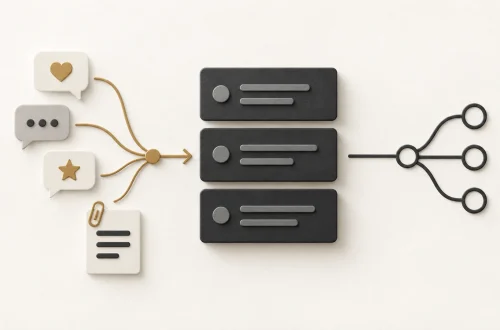
Before you announce a feature: check who can actually use it
The release announcement says a new feature is available. A customer follows the instructions and cannot find it. The code may be deployed, but their account, role or device may not be included in the release.
Before polishing the announcement, answer a smaller question: who can complete the promised task today? This is useful work for a Product Owner, developer, product marketer or support colleague. You do not need to configure the release yourself to ask for the evidence.
This guide shows how to turn that evidence into a short availability note, using a fictional example and a reusable check. It helps the people writing the message agree what they can accurately say.
Separate deployed, available and announced
Deployment puts code into the environment where it runs. Release makes a capability accessible to its intended users. An announcement tells an audience about that change. These events can happen at different times.
A feature flag is a control used to vary whether or how a feature is served. For example, a team can make a feature available to a selected group before widening access. LaunchDarkly’s documentation explains this separation and how targeting rules serve different experiences to different users.
That distinction affects wording. “Deployed” does not establish that every customer has access. Equally, a feature missing from one account does not prove the whole release failed. Ask which audience and conditions were checked.
Build the message from three checks
1. Name the audience precisely
Purpose: Replace a broad promise with a group the team can identify.
Ask which accounts, roles and channels are included. A channel might be the web application or a mobile app. A pilot is a limited introduction used to learn before deciding whether to expand.
Record important exclusions too. “Available to organisers” could mean every organiser, invited pilot organisers or organisers with an additional permission. Ask the release owner which description matches the current configuration. Keep the wording understandable outside the development team.
2. Check the complete task
Purpose: Find evidence that supports the instruction you plan to send.
Use authorised test accounts or another agreed verification route that represents the intended audience. Follow the task from its starting point to its result. Seeing a button is weaker evidence than completing the action it promises.
Record the environment, relevant role, channel and time of the check, plus a link to the approved test record. Ask the technical owner to confirm that the checked conditions match the release being announced. A screenshot from a demonstration account alone may miss a difference in customer access.
3. Agree what happens when access differs
Purpose: Give support a clear response without inventing a delivery date.
Separate an intended exclusion, a reported fault and an unverified situation. A person outside a pilot may be seeing the expected experience. An included user who cannot complete the task needs investigation. An unchecked device remains unknown.
Confirm the support route and who owns questions about availability. If wider access is undecided, say so. Do not turn an internal target into a customer promise. Agree who updates the note when the audience, instructions or release state changes.
Illustrative example: downloading session totals
Fictional worked example: Workshop Desk is a made-up event service. Its team wants to announce a CSV download of session attendance totals. A CSV is a text file that stores rows of values for use in a spreadsheet. This example contains no real customer data or observed business results.
The proposed message is “Organisers can now download session totals.” Before sending it, the team records the following fictional findings:
| Audience and channel | Finding | Message |
|---|---|---|
| Invited pilot organiser, web | Download completed. | Describe web access for this group. |
| Other organiser, web | Outside the current pilot. | Do not promise access yet. |
| Attendee, web | Export is not part of this role. | Do not send organiser instructions. |
| Pilot organiser, mobile | Not checked. | Make no mobile availability claim. |
These rows distinguish verified access, planned boundaries and an evidence gap. They are an illustrative selection, not an exhaustive test plan. The mobile row needs an owner and a check before anyone expands the message to cover it.
A narrower announcement
“Invited pilot organisers can now download session totals in the web app. Open a session, choose Attendance, then Download totals. This pilot does not include other organisers or attendee accounts. For access questions, use in-app Help.”
The quoted wording and interface are fictional. Notice that the message gives an eligible reader a useful action without implying mobile support or a date for wider access. The release owner confirms the audience; support checks that the help route is ready.
Reuse this availability note
Keep one shared note alongside the release record. Use the same facts for the announcement, help content and support briefing. This is a suggested working template, not a formal release approval standard.
- Task: What can the user now complete, and where do they start?
- Available audience: Which accounts, roles and channels are included?
- Boundaries: Who is excluded, and what is still unverified?
- Evidence: Which agreed check supports each claim, when was it run and where is its record?
- Next action: What should an eligible user do? What should someone without access do?
- Ownership: Who confirms availability, handles exceptions and maintains the message?
- Review trigger: Which change requires the note and announcement to be reconsidered?
Resolve conflicting evidence before widening the claim
Suppose the test record says the pilot can export, but support reports that an included organiser cannot. Compare the checked conditions with that account’s experience. Record the discrepancy and ask the responsible colleague to investigate. Do not rewrite an unknown cause as “refresh your browser” or “upgrade your plan”.
Update the message when the agreed facts change. Keep the prior check time visible so colleagues can recognise stale evidence. The note supports communication; it does not replace permissions, testing, monitoring or the team’s release decisions.
Try it on one announcement
Take a draft release message and underline every claim about availability. Fill in the note with a developer and someone who answers customer questions. Where evidence is missing, assign the check or narrow the wording before sending it.
If you are new to product or delivery work, start with this question: “Which user did we check, and can they complete the task this message describes?” The answer gives the next conversation a concrete starting point.
This evergreen guide was prompted by Mind the Product’s 15 October 2026 discussion of product and marketing handoffs. The availability note, Workshop Desk scenario and announcement were composed for Coded Female. Deployment and targeting definitions were checked against the technical references below.

You May Also Like

Getting Started with AI at Work: A Practical Starter Kit

Unleashing the Power of Data Storytelling: Engaging Audiences with Numbers